Optima Unity - Modern Clinical Platform
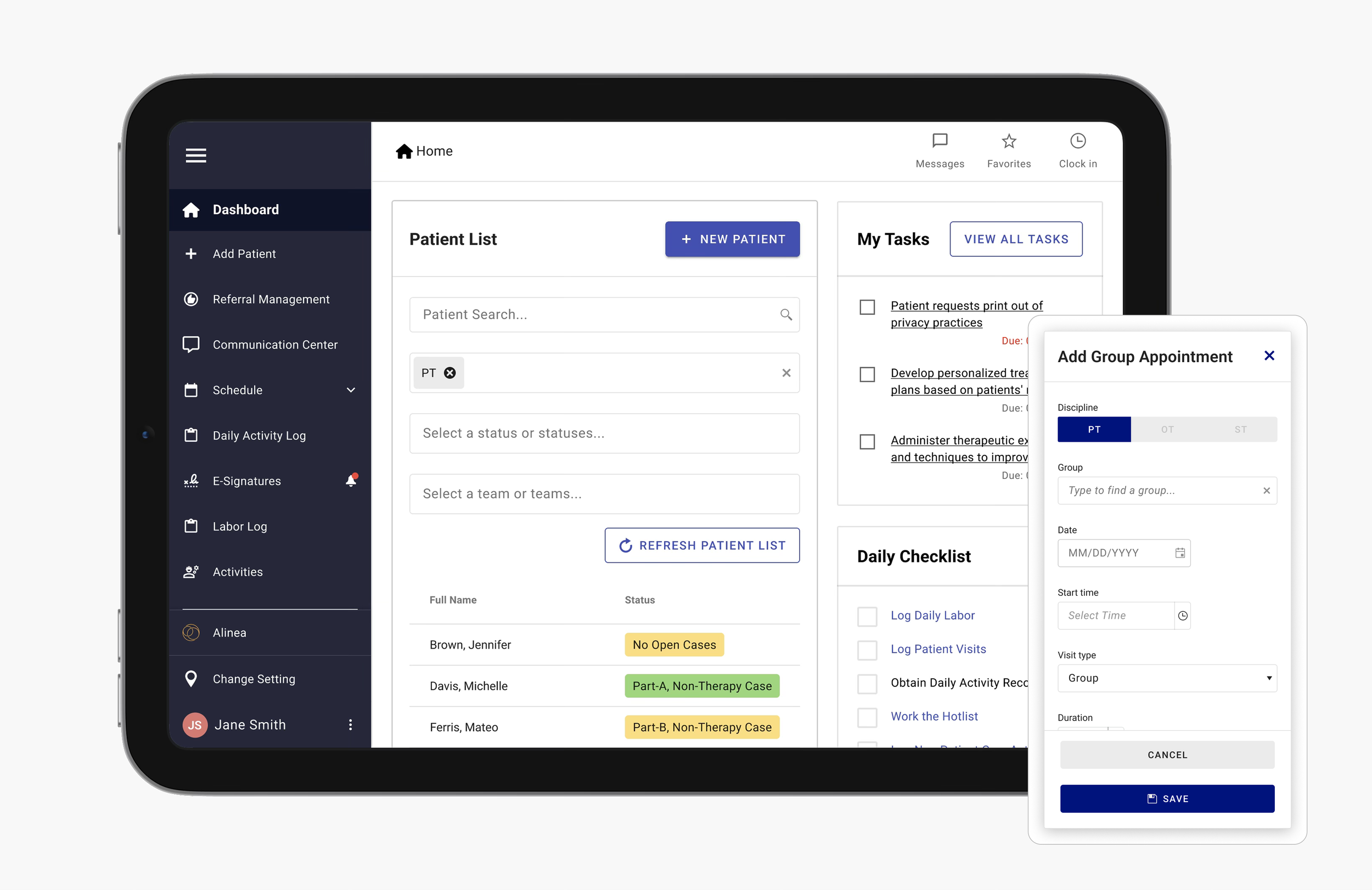
Client: Net Health | Role: UX Designer | June 2023 - April 2024 | Web Application (Optimized for iPad mini)
Team: Agile team including delivery manager, business analyst, QA, developers, and designers
Tools: Figma, Miro, Azure DevOps, Slack, Teams
A web-based app used by physical, occupational, and speech therapy clinics to manage referrals, intake, case tracking, therapist scheduling, and labor logging. The redesign brought modern UX to outdated workflows, improving day-to-day operations for both therapists and admins.
Background

The platform’s outdated workflows and UI created friction for users across clinics and facilities. Frequent session timeouts, confusing navigation and an unintuitive scheduling flow led to inefficiencies. Therapists couldn’t easily track their daily schedules, and admins struggled to oversee patient appointments across the facility. The business needed to streamline these core workflows to reduce friction and improve user efficiency.
Challenge

The goal of our client was to reskin their application to modernize the UI and streamline workflows. The user goal was to easily complete patient intake, scheduling, and logging tasks with clarity where they are within the app.
Our team considered these goals while mindfully considering constraints like limited budget and time, the required use of Kendo Material components, low flexibility for UI customization, and no direct access to users for testing or interviews.
Solution


My first task on this project was to evaluate the current application and identify areas where the UX could be improved to better meet the needs of both therapists and administrators. The outdated UI and confusing workflows were causing frustration among users, especially when trying to log labor, schedule patients, or understand where they were in the app. After aligning with the team, we decided the most efficient way forward was to reskin the application using the Kendo Material UI component library, centralize the patient and therapist scheduling feature, and made the patient-related navigation items accessible directly from the patient list on the home page to ensure a more intuitive and efficient way to access information.
This decision also ensured consistency across the client’s ecosystem, as the app is part of a larger suite of healthcare tools.
In later stages of the project, I supported and led the UX design effort, creating updated experiences for key workflows like therapist scheduling, patient intake, and case tracking across different therapy types.
Design methods used during the collaboration included journey mapping, facilitating weekly design reviews with the client, wireframing, UI/UX design, and prototyping solutions. Due to limited access to end users, client feedback served as a crucial proxy for usability validation.
We simplified the home page to emphasize a therapist’s daily tasks and patient list.
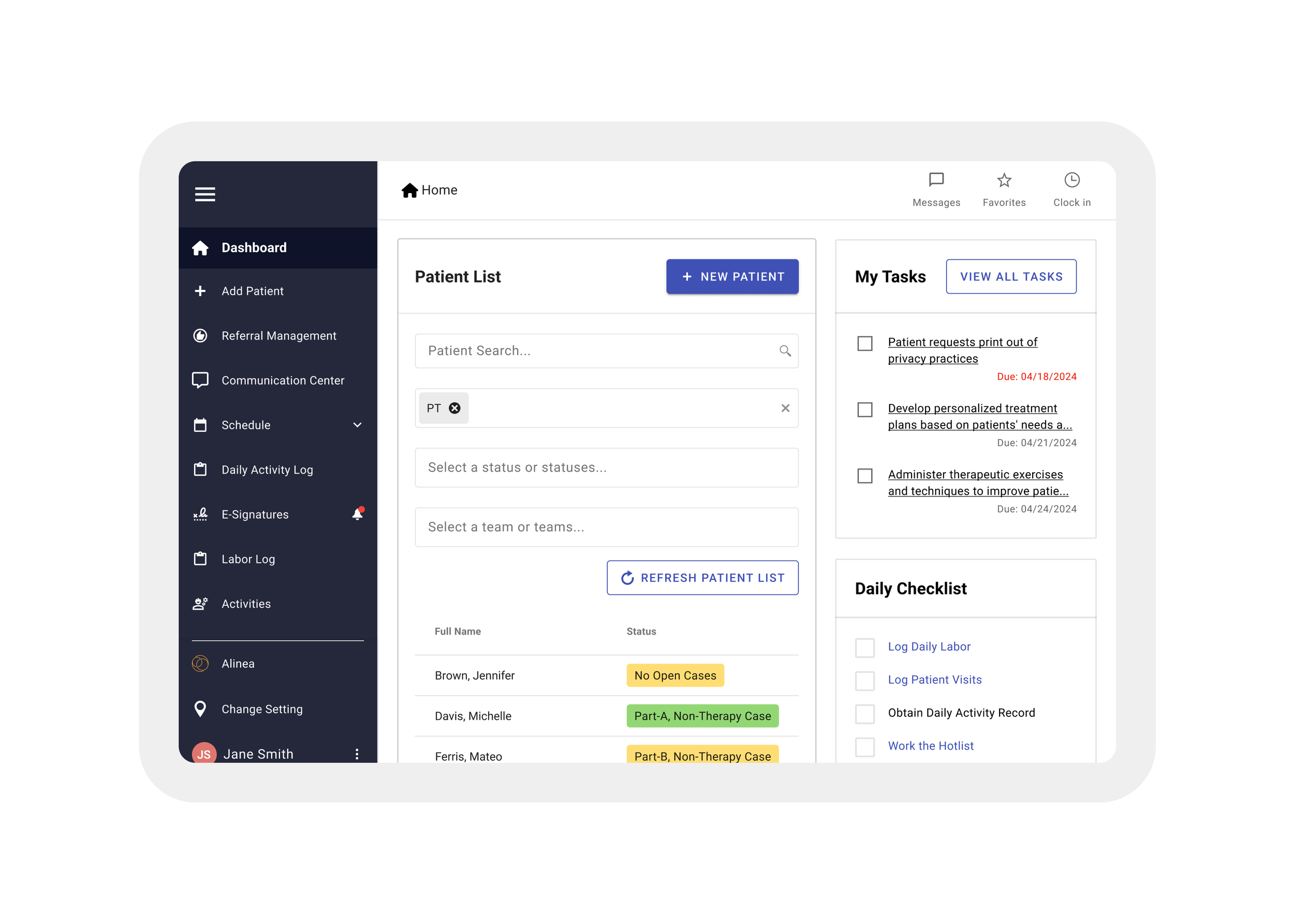
The updated home page gives therapists and admins a clear, at-a-glance view of their daily priorities—making it easier to understand schedules, tasks, and patient needs right from the start. Additionally, the left side menu now houses every place a user might need to navigate to.
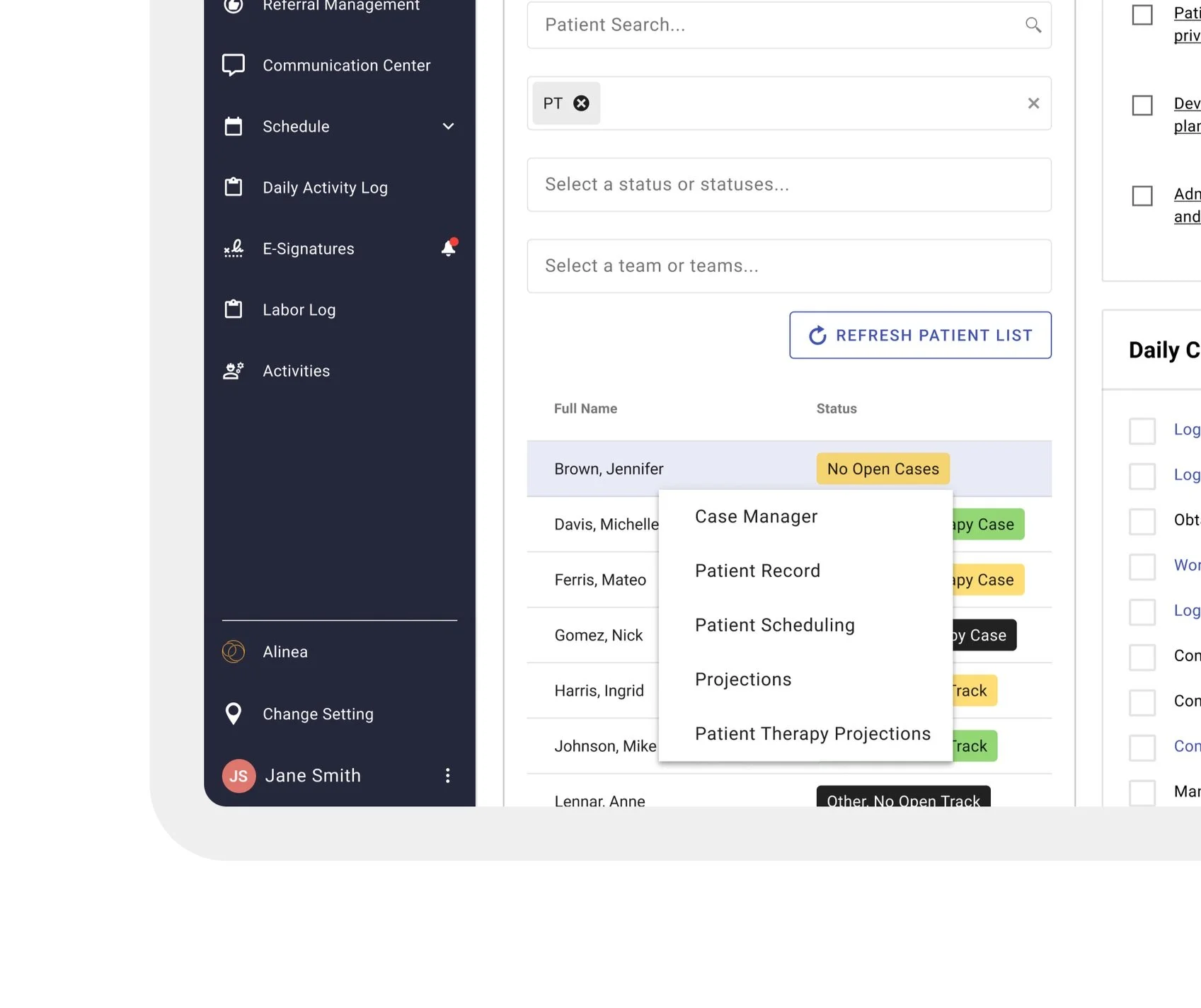
We restructured the patient list to allow quicker access to key actions—like viewing cases, the patient record, schedules, and more—directly from the patient's name, reducing clicks and streamlining user workflows.
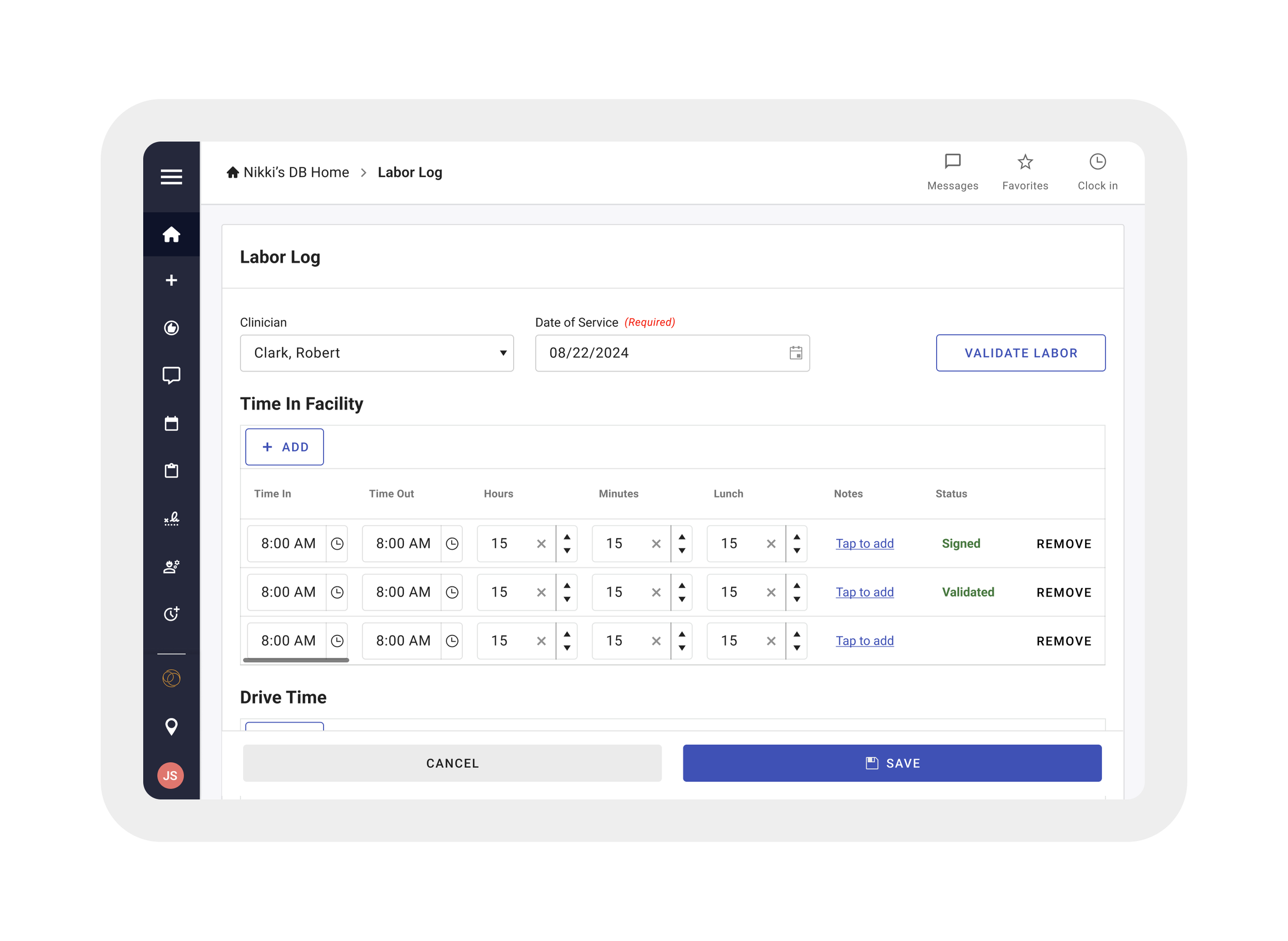
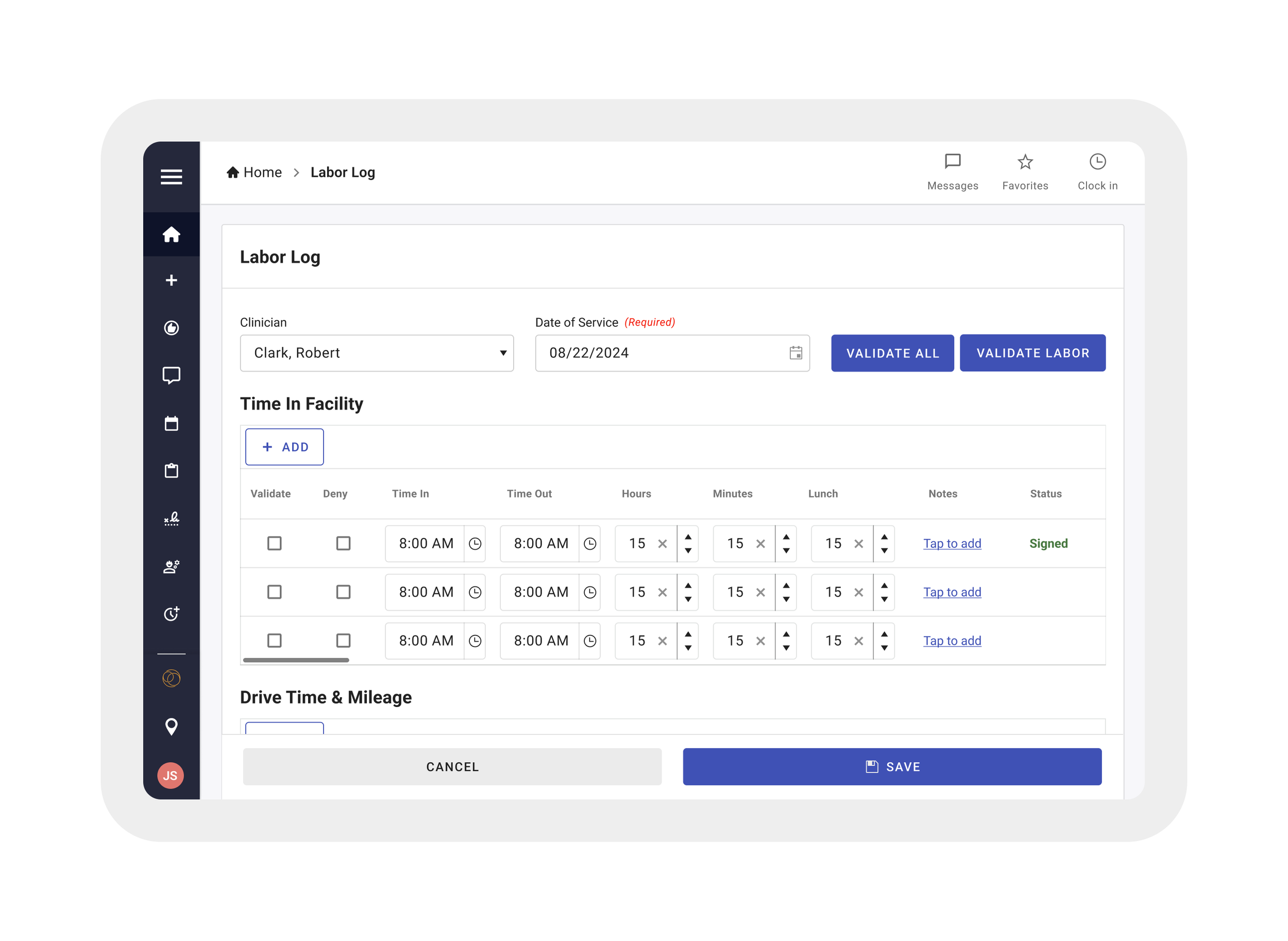
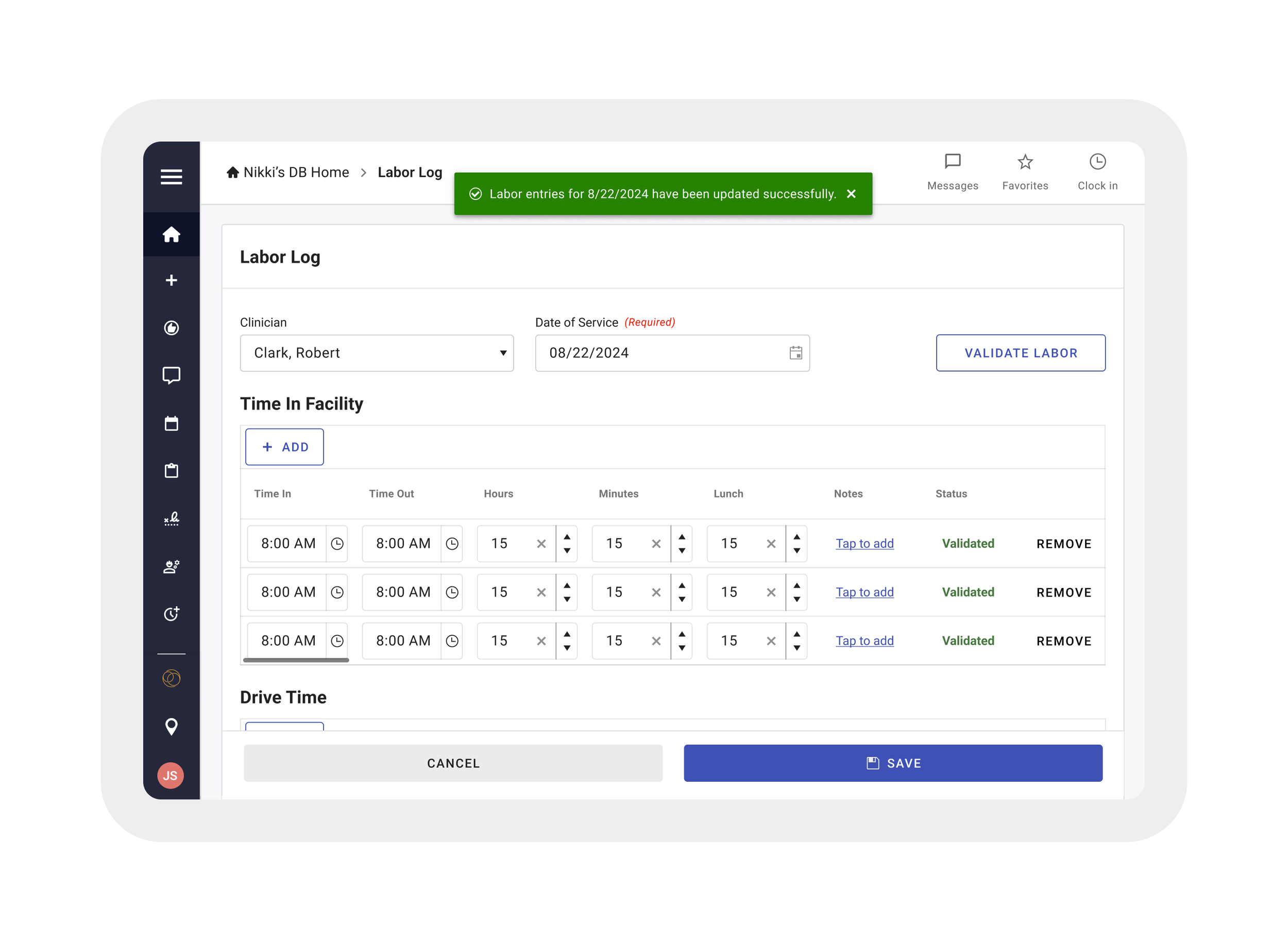
Labor Log was redesigned for clarity and ease—helping therapists track and validate their work with fewer steps.
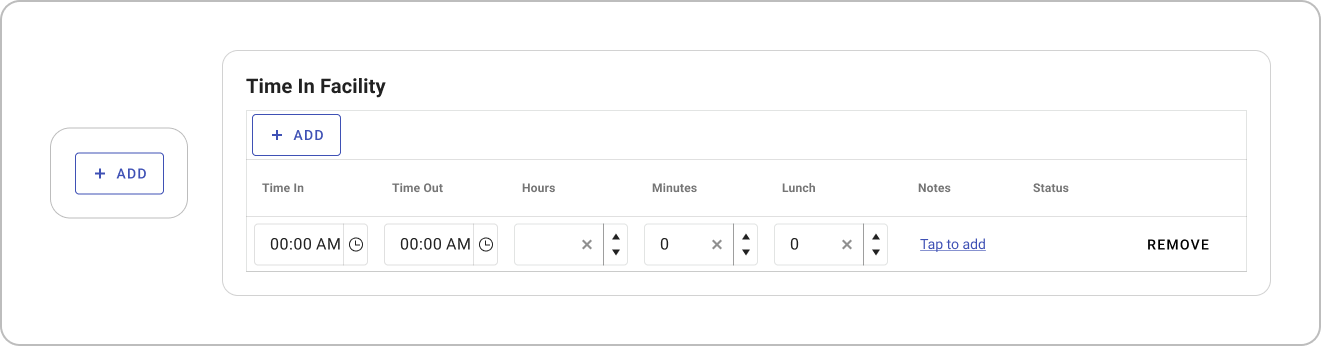
Add a Labor Entry
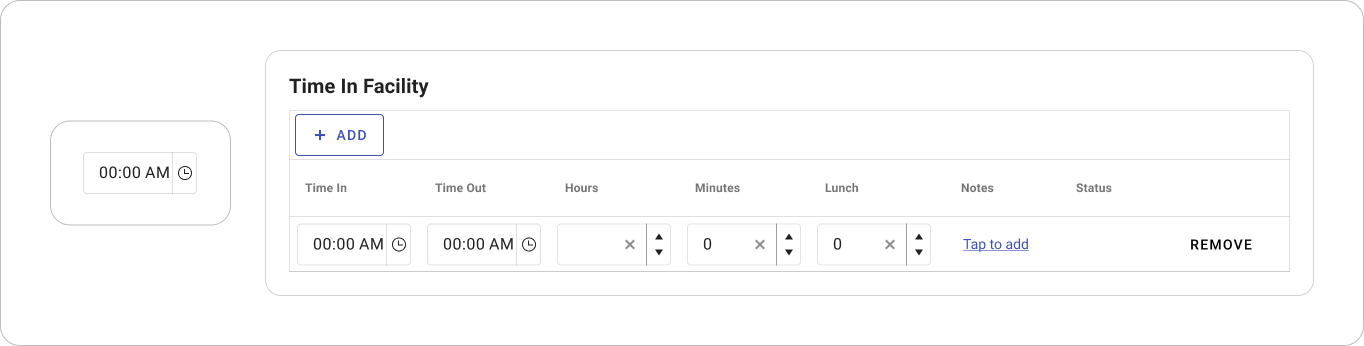
Enter Data
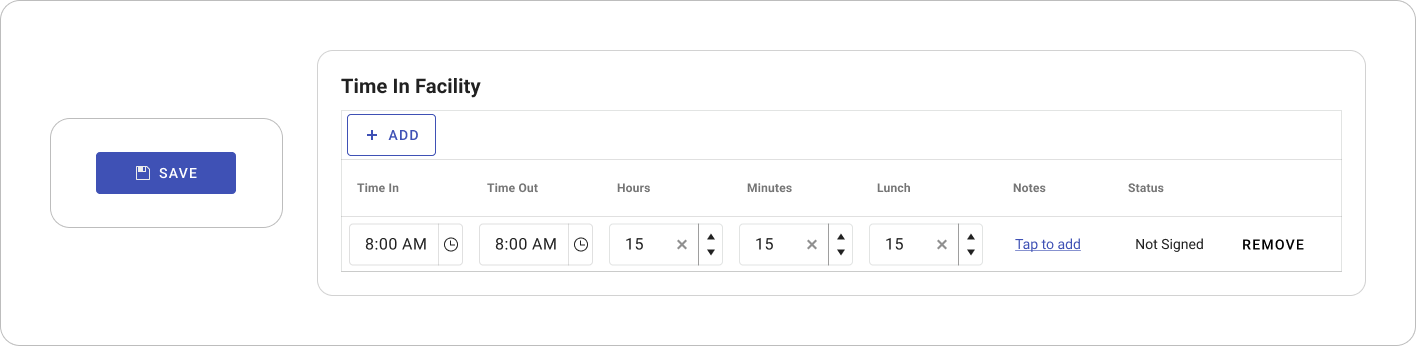
Save Information
We consolidated a multi-page labor validation process into a single, streamlined view—reducing friction, minimizing loading times, and allowing therapists to review and confirm their daily activities more efficiently.
The scheduling interface was redesigned to improve usability and efficiency, enabling therapists and administrators to manage appointments more accurately, with clearer visibility into daily availability and fewer manual steps.
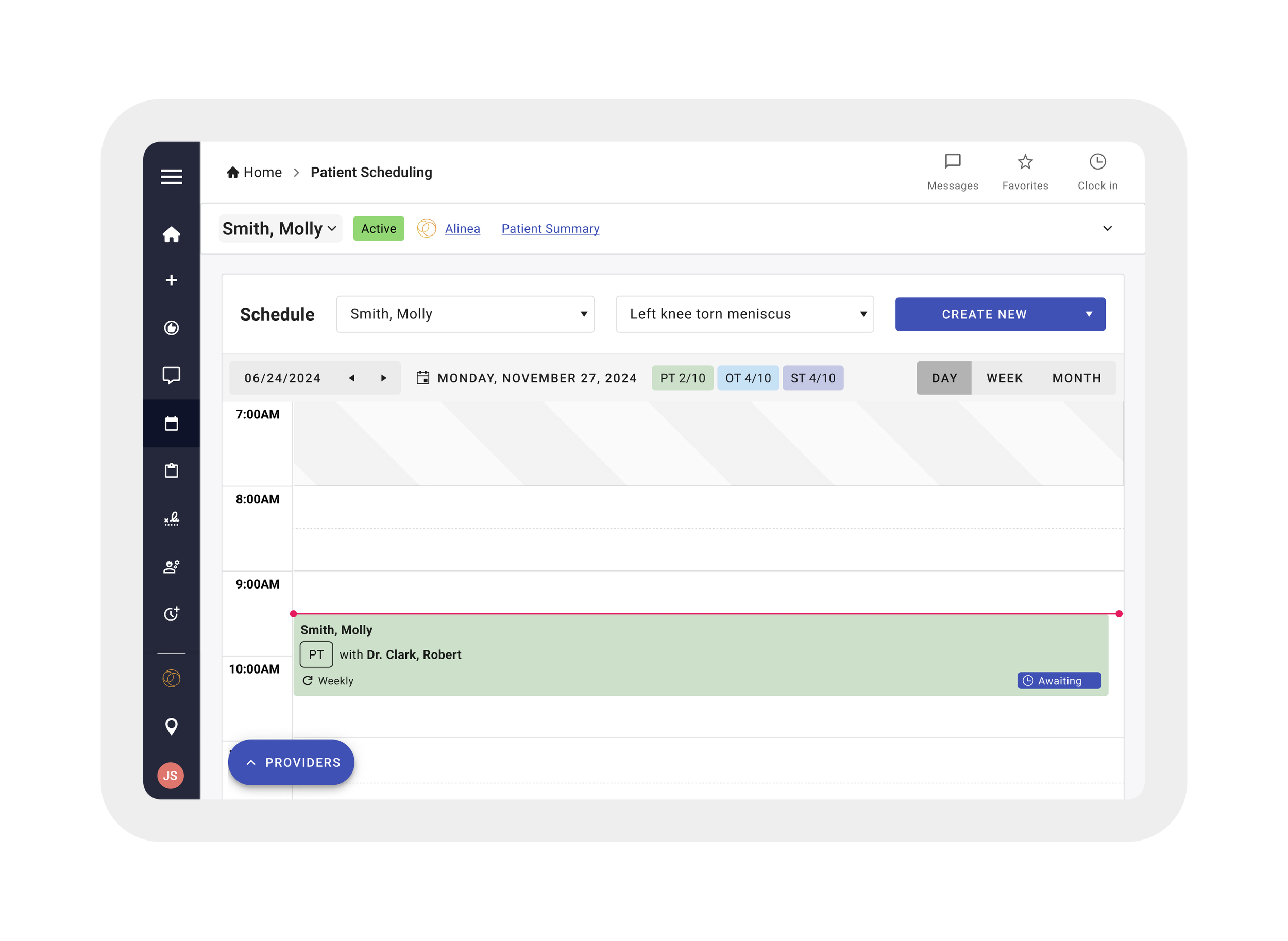
day calendar
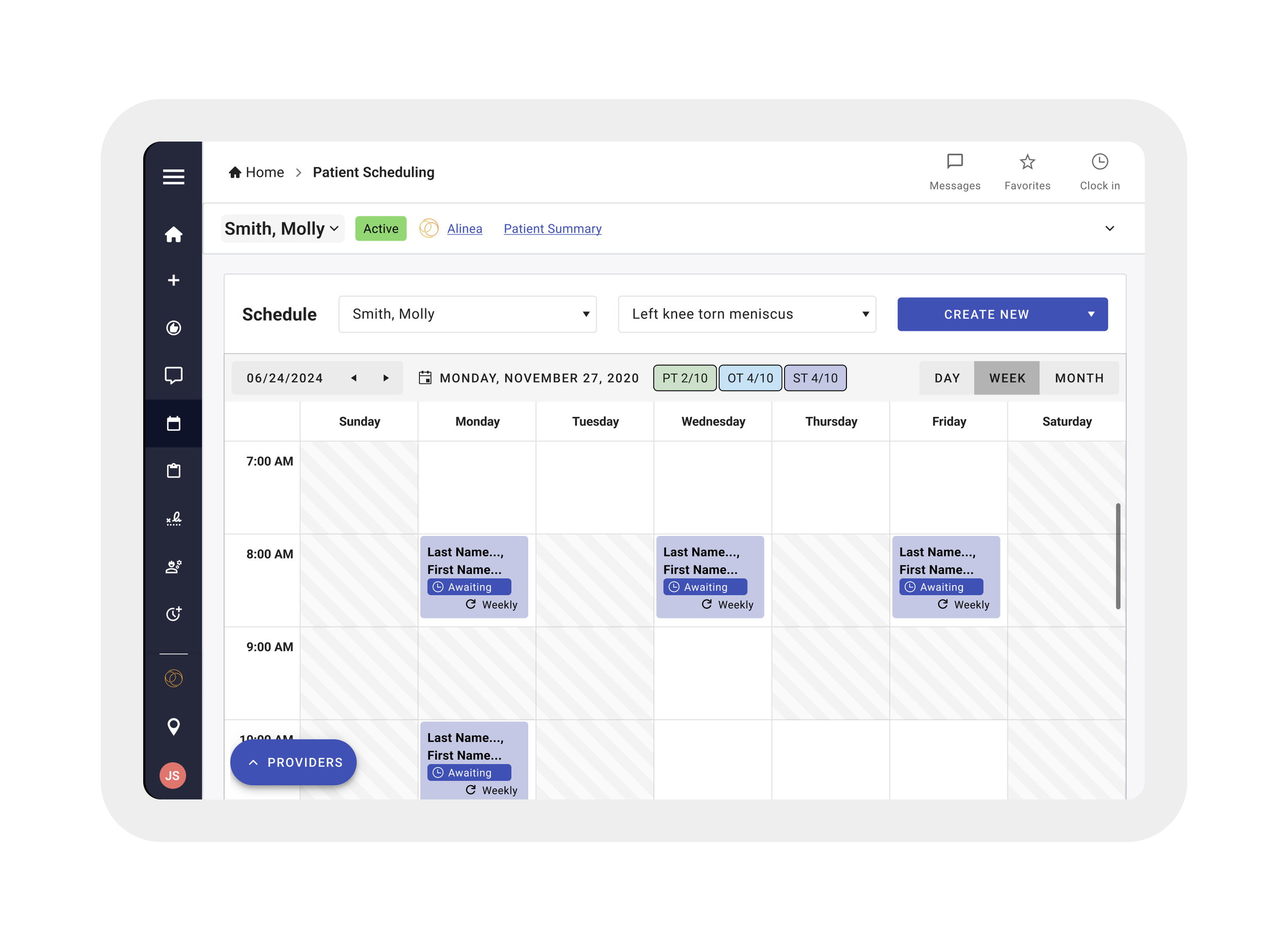
week calendar
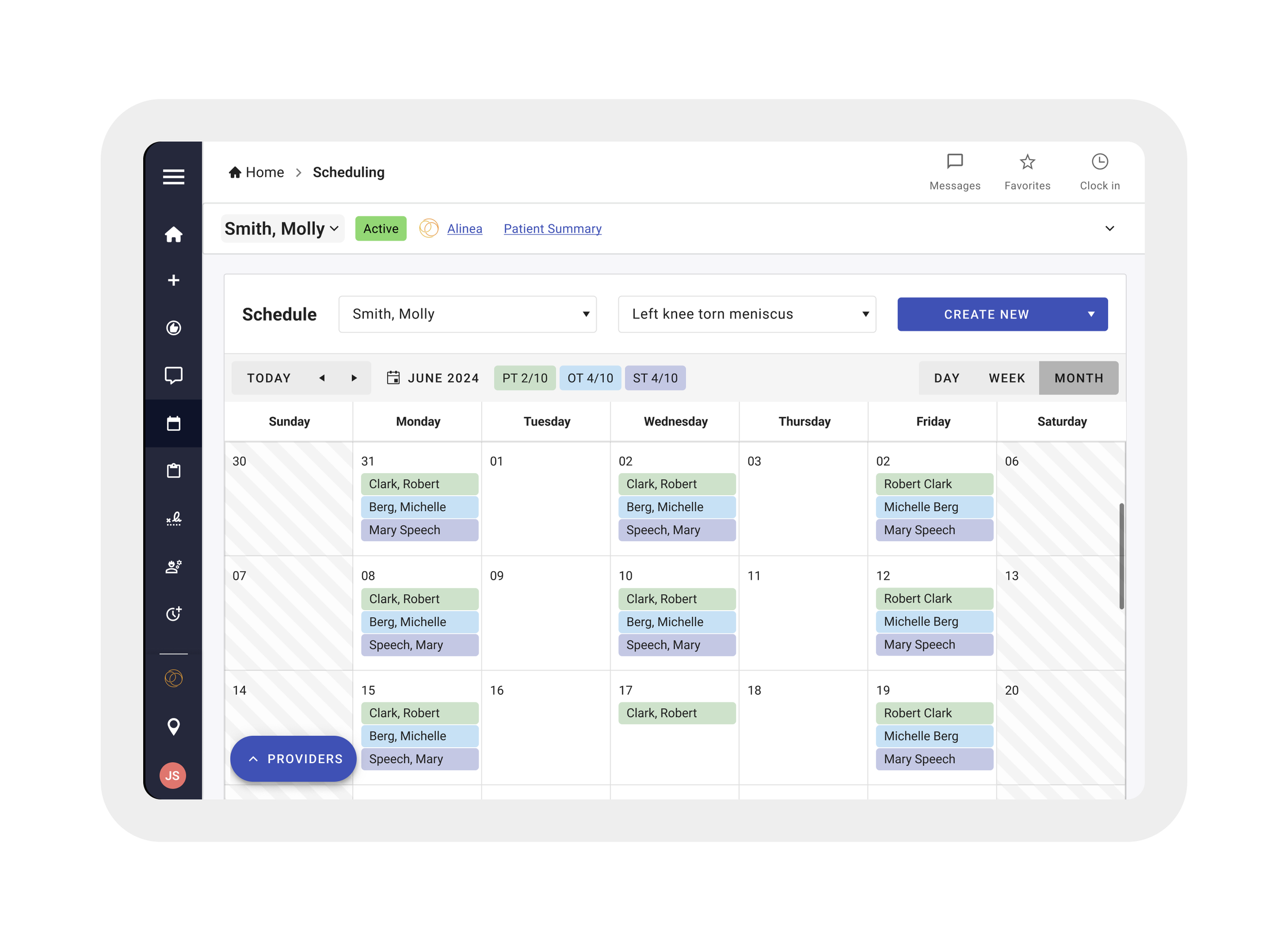
month calendar
We simplified the process of scheduling appointments.
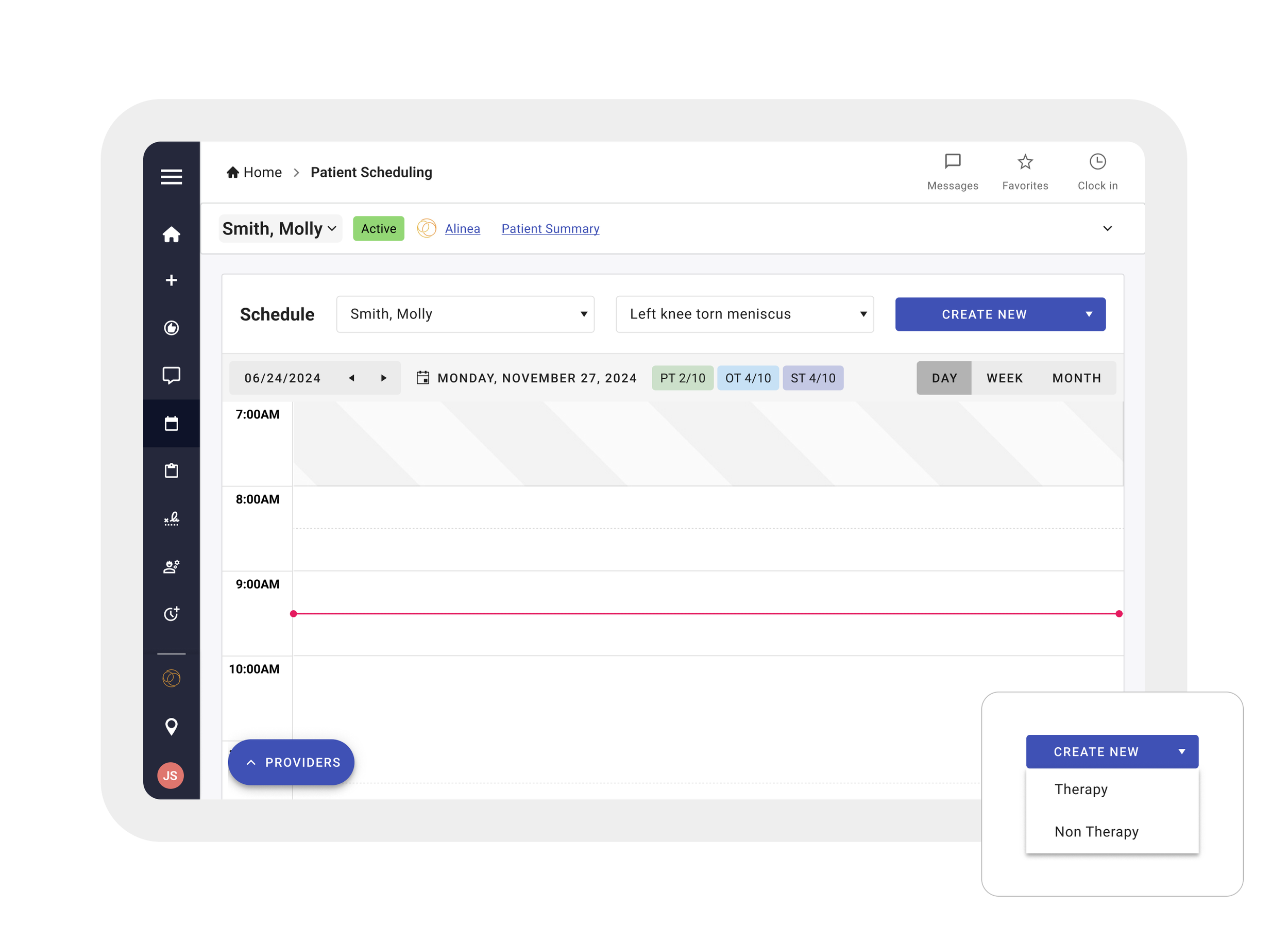
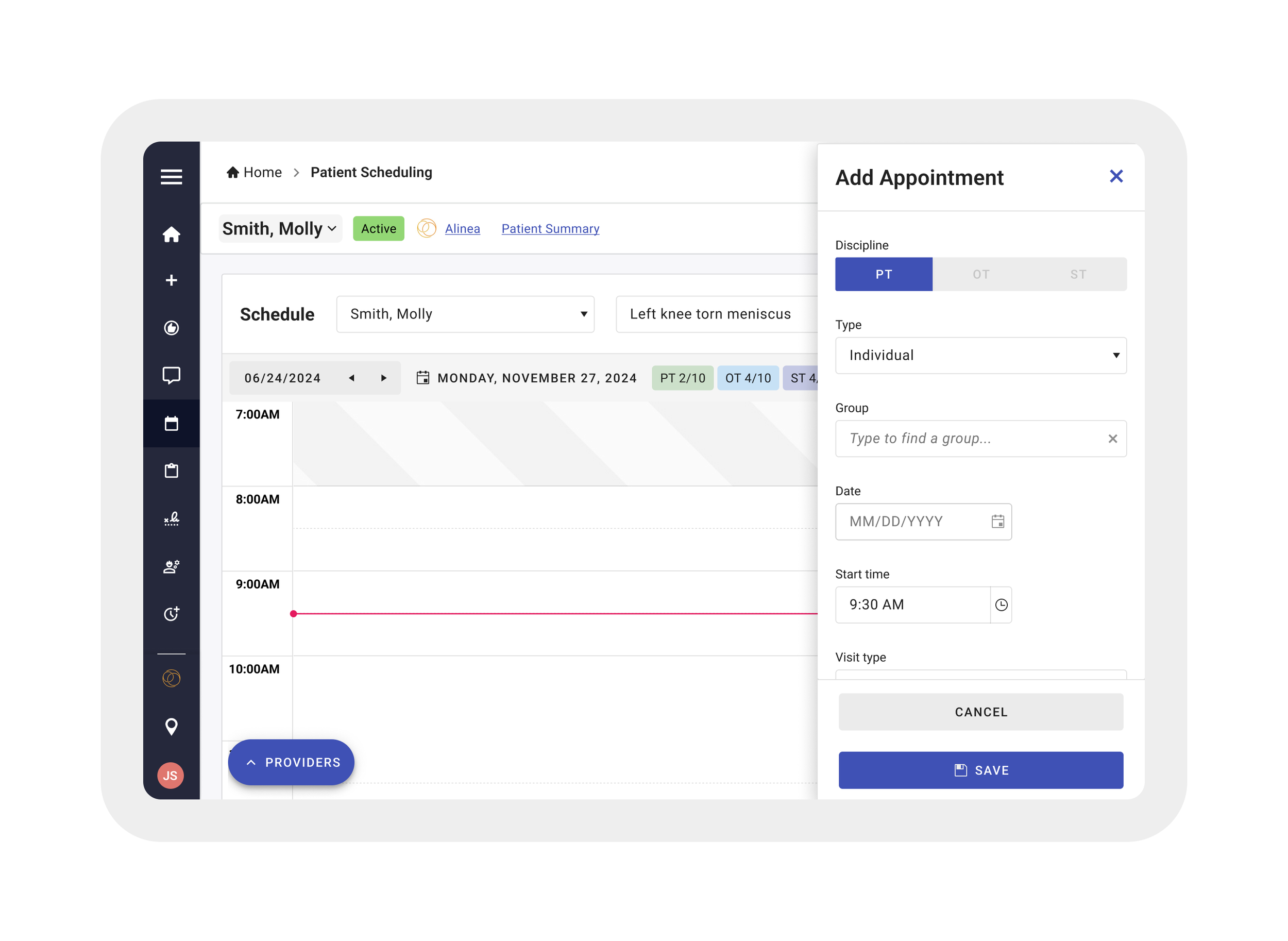
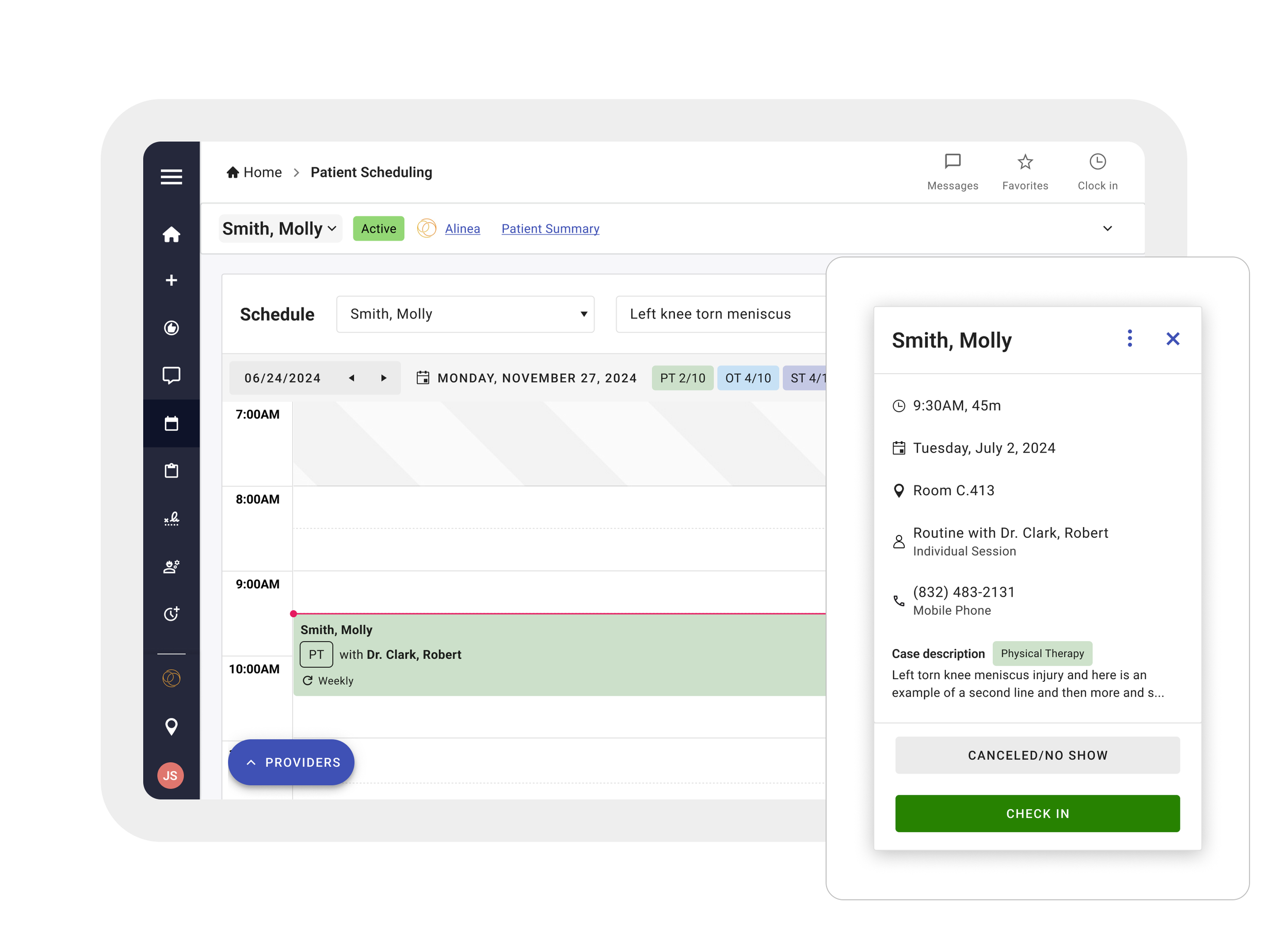
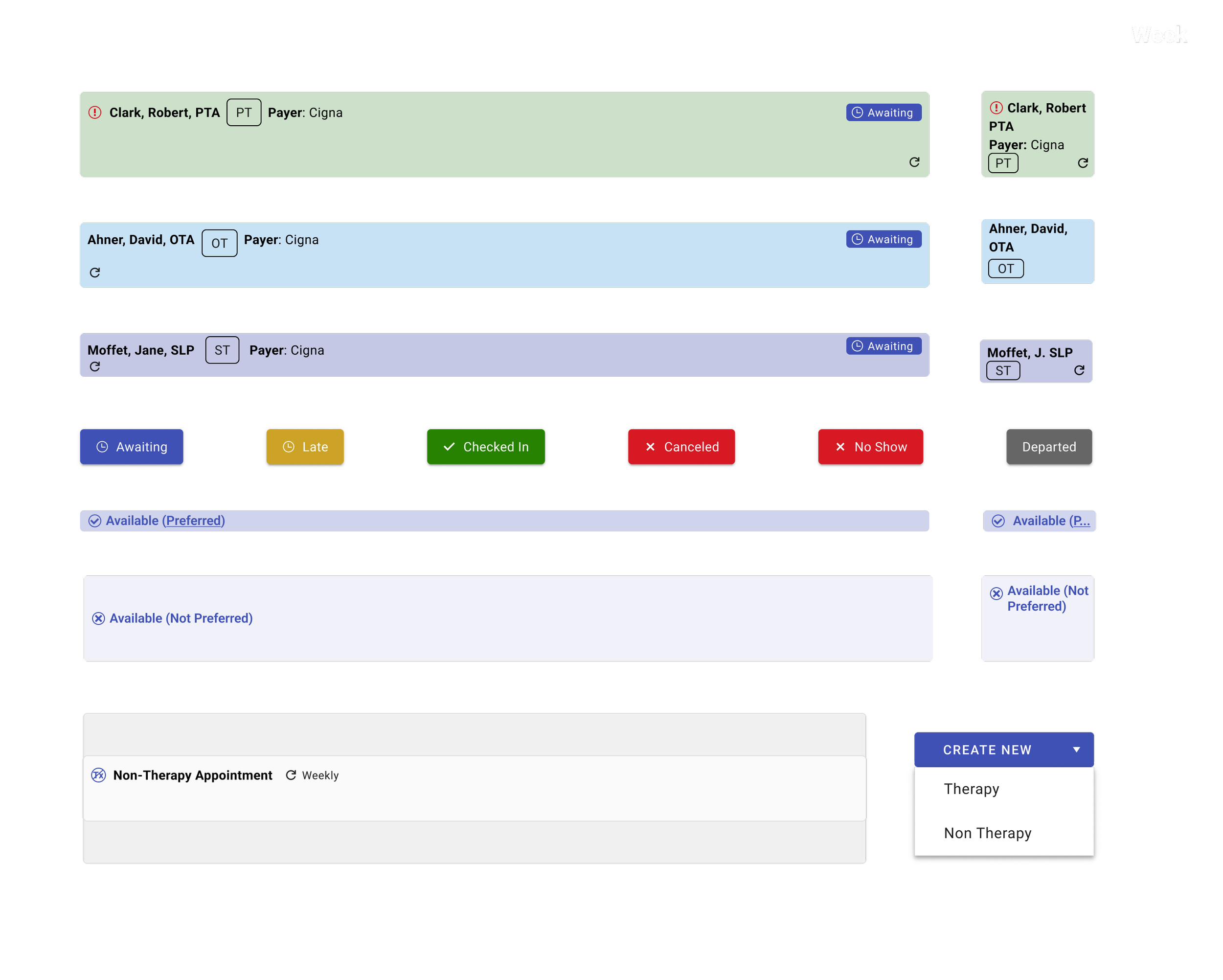
We created components signifying various therapy disciplines, non-therapy, preferred working hours, and appointment status.
Reflections and Thinking Ahead
Over the course of the project, I balanced user needs with strict development constraints by working within the Kendo UI component library. Weekly design reviews with the client fostered a strong collaborative relationship and ensured alignment throughout. As the project progressed, I transitioned from a supporting designer to leading UX, taking full ownership of design decisions and advocating for better user flows.
Looking ahead, there’s an opportunity to establish a more scalable and cohesive design system to reduce inconsistencies. Incorporating user testing with therapists would bring valuable insights to refine the app further. Exploring offline functionality and automation could also streamline repetitive tasks and improve the overall experience for users in clinical environments.